

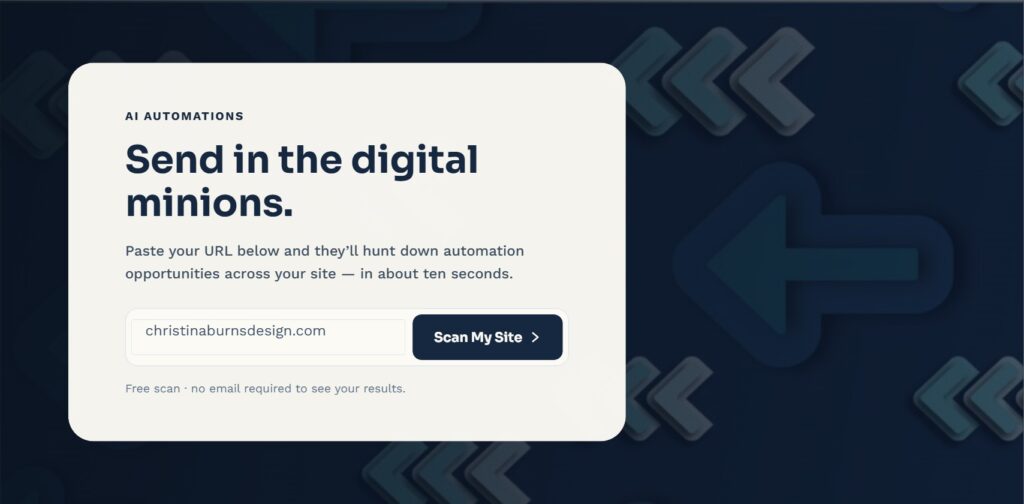
If you’ve poked around my Automations page, you’ve probably seen the little tool where you paste in your website URL and my “digital minions” go looking for automation opportunities. I get a fair number of questions about what’s actually happening behind that button, so let’s pull back the curtain — partly because I think transparency builds more trust than mystery, and partly because I think what it actually does is genuinely interesting on its own, no smoke and mirrors required.
What it’s not: a fully custom, deep audit of your entire business that magically knows everything about how you operate internally. I want to be upfront about that, because I’d rather set the right expectation than let the “minions” branding oversell it.
What it actually does: looks at what’s publicly visible on your site’s homepage and checks for a handful of specific, real signals — things like whether there’s a live chat widget installed, whether you’re linking out to your social media accounts, whether there’s a connected reviews platform, and how many different ways there are to get in touch with you. These are genuinely detectable from the outside, no guessing involved, using pattern matching against known signatures those tools leave behind in a site’s code.
What it can’t see, and is honest about not seeing: the stuff that happens behind the scenes of your actual business — which inbox your team checks, how a lead gets handed from your contact form to an actual person, whether your intake process is smooth or a mess. Those are genuinely invisible from outside your website, so instead of pretending to detect them, the results are framed as “here’s what’s typically true for businesses like yours,” based on patterns from real client work, not a guess dressed up as a fact.
So a real scan result ends up being a mix of two kinds of findings:
- Detected findings — things confirmed by actually looking at your public site, like “no social links found” or “no chat widget detected.”
- Typical findings — common, genuinely frequent problems for businesses like yours, worded as “here’s what we usually see,” not “here’s what we definitely found on your specific site.”
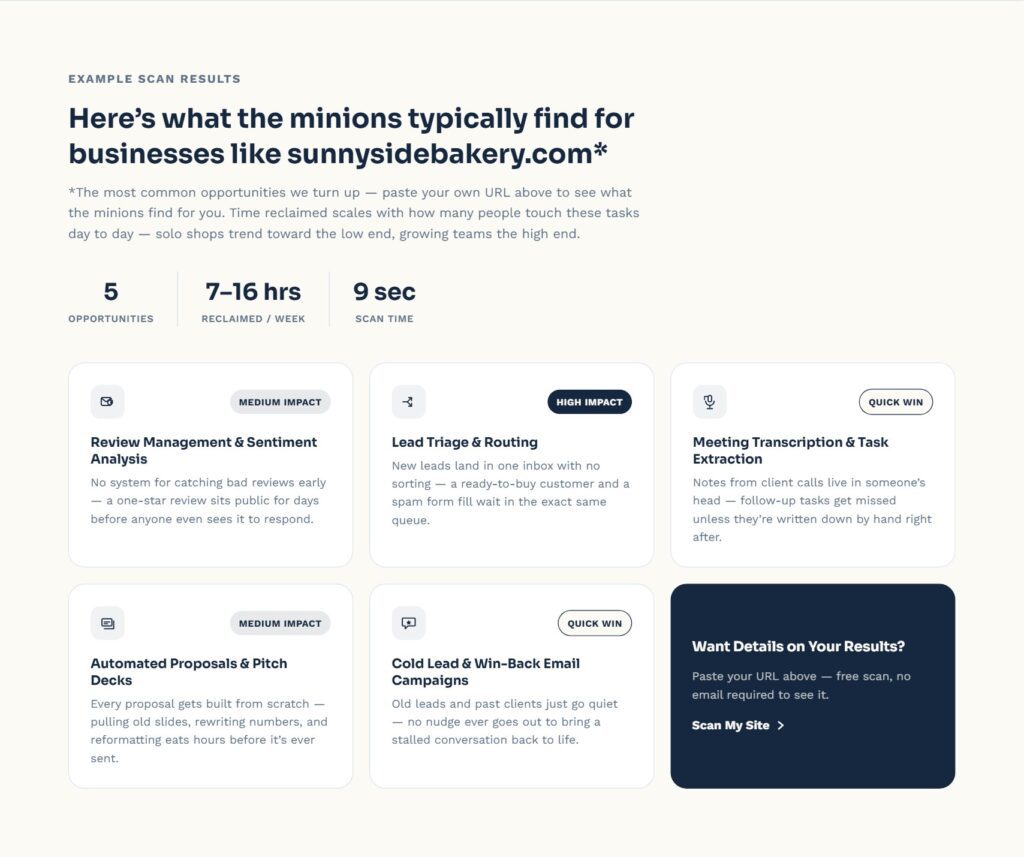
Whichever mix you get, the results are sorted from highest impact to lowest, so the opportunity likely to give you the most time back is always at the top.
Why build it this way instead of just claiming everything is a custom, deep-dive audit? Because I think the alternative — pretending a lightweight scan is a comprehensive one — erodes trust the second someone realizes it’s not as custom as it sounded. I’d much rather be straightforward about what a free, instant tool can and can’t actually tell you, and save the real, comprehensive audit (the paid version, where I’m actually digging in myself) for when someone’s ready to go deeper.
The point of the scan tool was never to replace an actual conversation. It’s meant to be a quick, honest, genuinely useful starting point — something concrete to react to instead of a cold pitch with no context. If a couple of the findings land (“huh, yeah, we actually don’t have a good after-hours plan”), that’s a real, useful moment, whether it came from something detected or something typical. The goal is a legitimately helpful first look, not a magic trick.
A specific example, since I think it makes the mechanism a lot more concrete than describing it abstractly: I ran this exact scan against my own website. It correctly detected that I don’t have a live chat widget installed, that I don’t have outbound links to social media platforms from my homepage, and that there’s no connected reviews platform — all true, all genuinely visible from the public page, no guessing required. It also flagged Lead Generation: my homepage has shop and checkout wording, which reads as consumer-facing, and with no chat tool there’s nothing to catch a visitor who isn’t ready to buy yet. Fair point, minions. Those four became real, detected findings, specific to my actual site. The fifth finding that rounded out the report — Email Management — was the honest “typical” kind, based on how common that gap is for a business like mine, not because the scan could somehow see how my actual inbox is organized from the outside. Altogether: an estimated 7–17 hours a week I could be getting back.
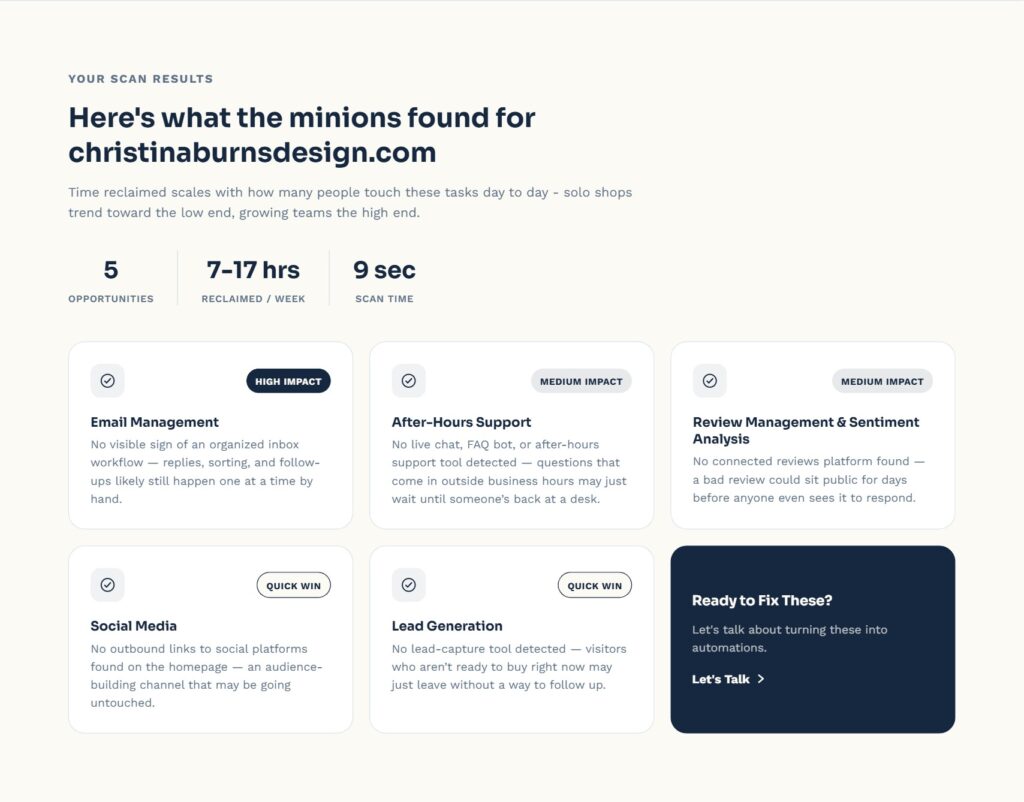
That mix — some real, some typical, each worded for what it is — is exactly the balance I think a tool like this should strike. Not a magic trick pretending to see everything, and not so vague it’s useless either. Just an honest, quick first look, good enough to spark a genuinely useful conversation, with the deeper, fully custom version of that conversation waiting on the other side if someone wants to go further.